


Spot instances reduce compute costs by using discounted, interruptible cloud capacity. They work well for workloads that can handle interruptions, such as batch jobs, distributed training runs, and parallel analytics tasks.
Domino supports spot instances across Jobs, Workspaces, Apps, Endpoints, and Launchers on AWS. When you select a hardware tier marked with the Spot tag, Domino attempts to use the cloud provider’s spot pricing model to provision your workload.
If your deployment is configured with matching spot and on-demand node pools, Domino handles spot capacity issues automatically:
-
If spot capacity isn’t available when you submit, Domino runs the job on on-demand infrastructure.
-
If a running spot workload is interrupted, Domino retries it on available spot capacity (which may use a different instance type) or falls back to on-demand infrastructure.
If automatic fallback isn’t configured, the job fails when spot capacity is unavailable.
When submitting a workload in Domino, you may see one or more hardware tiers marked with the Spot tag.
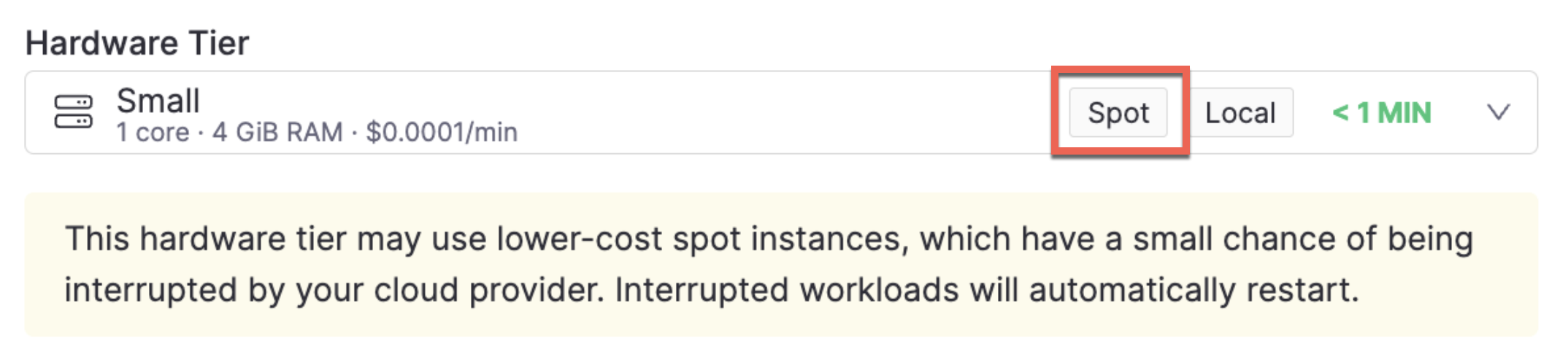
Use the following guidance to decide whether spot instances are a good fit for your workload:
Ask yourself:
-
Can this job fail or restart without causing issues?
-
Is this part of an experiment or test run?
-
Does this workload serve live users or downstream systems?
-
How long will this job or session run?
If your workload is short, experimental, and not critical, spot instances are a great choice. If your workload is long, stateful, or user-facing, choose an on-demand hardware tier instead.
-
Launch a Workspace: Create a workspace so you can use your preferred tools in a reproducible and customizable environment.
-
Create and run Jobs to provide a structured approach for running code files. Jobs organize hardware, compute environment, data resources, and security protocols to ensure highly reproducible execution.