


After instrumenting your agentic system, you can run experiments to test different configurations and evaluate quality. Domino captures traces from each run and lets you attach evaluations, compare results, and export findings.
Once you have logged at least one run with traces, you can view and analyze them in the Experiments tab.
-
Find and click the experiment you want to review.
-
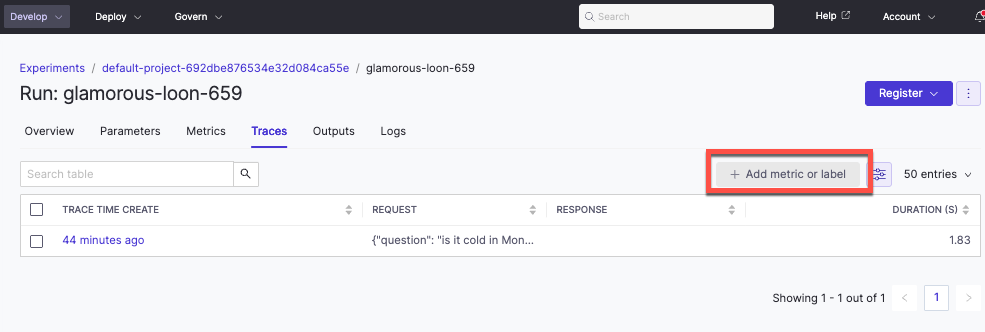
Open a run and select the Traces tab.
When you review traces, you can see evaluations logged in code, add metrics (float values) or labels (string values) by clicking Add Metric/Label, and click any metric or label cell to open the detailed trace view.
You can also log evaluations inline during execution or adhoc after traces are generated. Our GitHub repository has tracing and evaluations examples for inline and adhoc approaches.
Pass an evaluator argument in the decorator to capture the inputs and outputs of the decorated function. An evaluator is a function with two arguments: the inputs to a decorated function and its output. Domino serializes the inputs into a dictionary of argument names and their values. The python-domino library has a list of available evaluators to use.
@add_tracing(
name="prioritize_ticket",
autolog_frameworks=["openai"],
evaluator=judge_response # Judge evaluator
)
Compare runs to see how different configurations perform on the same inputs.
-
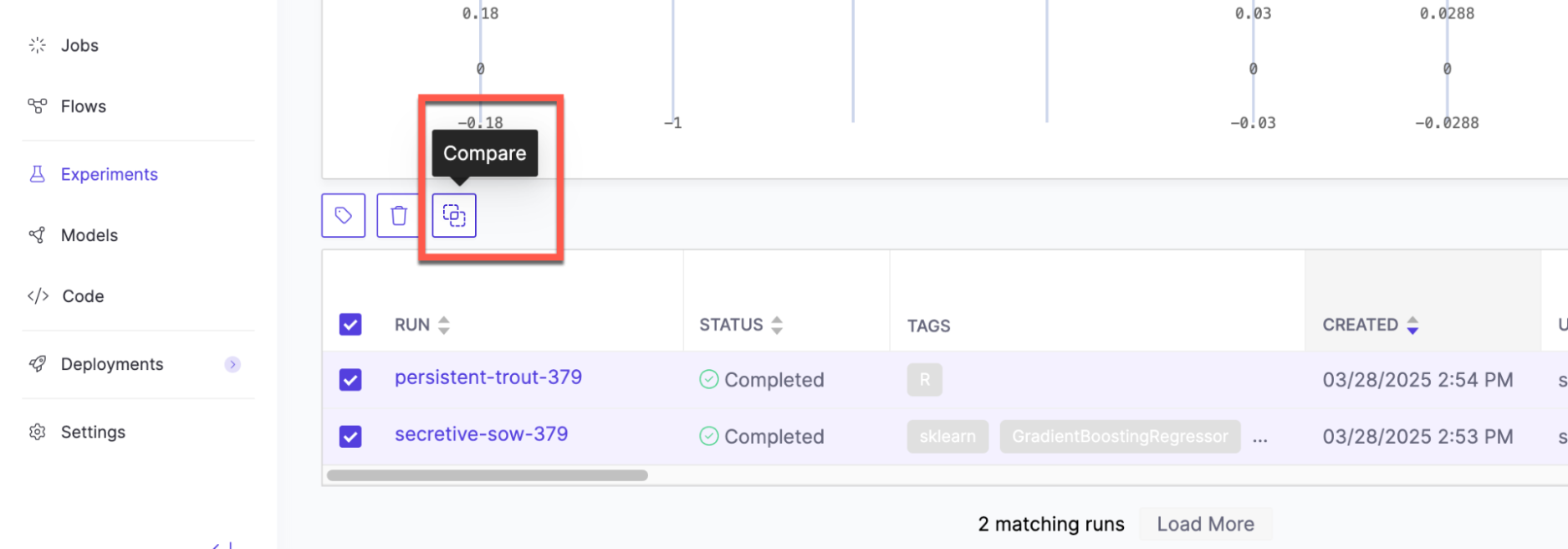
From the experiment view, select two to four runs from the table and click Compare.
-
Open the Traces comparison view in the Experiment Manager.
Review results across runs to spot patterns, compare traces and evaluations side-by-side, and click any metric or label cell to open the detailed trace view.
Export results
You can export data in two formats: CSV files for single experiment results or PDF reports for run comparisons.
-
Download CSV: Open the experiment you want to export and click the three dots in the upper right.
-
Export as PDF: Select two to four runs to Compare and click the three dots in the upper right.
-
Deploy agentic systems: Launch your best configuration to production
-
Develop agentic systems: Return to instrumentation to refine your system