


After experimenting and identifying a promising configuration, you can deploy your agentic system to production.
Agents use the same hosting infrastructure as Domino Apps. Deploying as an agent mainly affects the dashboard and how traces and evaluations are associated.
Your production app code must include the @add_tracing decorator on the function that handles user requests. This enables Domino to capture traces from live interactions once the agent is running.
A typical production agent is a web app, such as FastAPI, where each request passes through a function decorated with @add_tracing:
from domino.agents.tracing import add_tracing
from your_agent import create_agent

@add_tracing(name="single_question_agent", autolog_frameworks=["pydantic_ai"])
async def ask_agent(question):
    agent = create_agent()
    result = await agent.run(question)
    return result

@app.post("/chat")
async def chat(request: ChatMessage):
    result = await ask_agent(request.message)
    return {"response": result.output}
The simple_domino_agent repository has a complete production app with a chat UI in chat_app.py.
|
Note
|
DominoRun is required during development to group traces into experiment runs, but it is optional in production agent code. The @add_tracing decorator alone is sufficient to capture production traces.
|
You can deploy an agent in two ways:
After comparing evaluation runs and identifying a configuration you want to deploy:
-
In your project, from the left navigation, click Experiments.
-
Choose the experiment with the agent configurations you’re evaluating.
-
Select the run you want to launch.
-
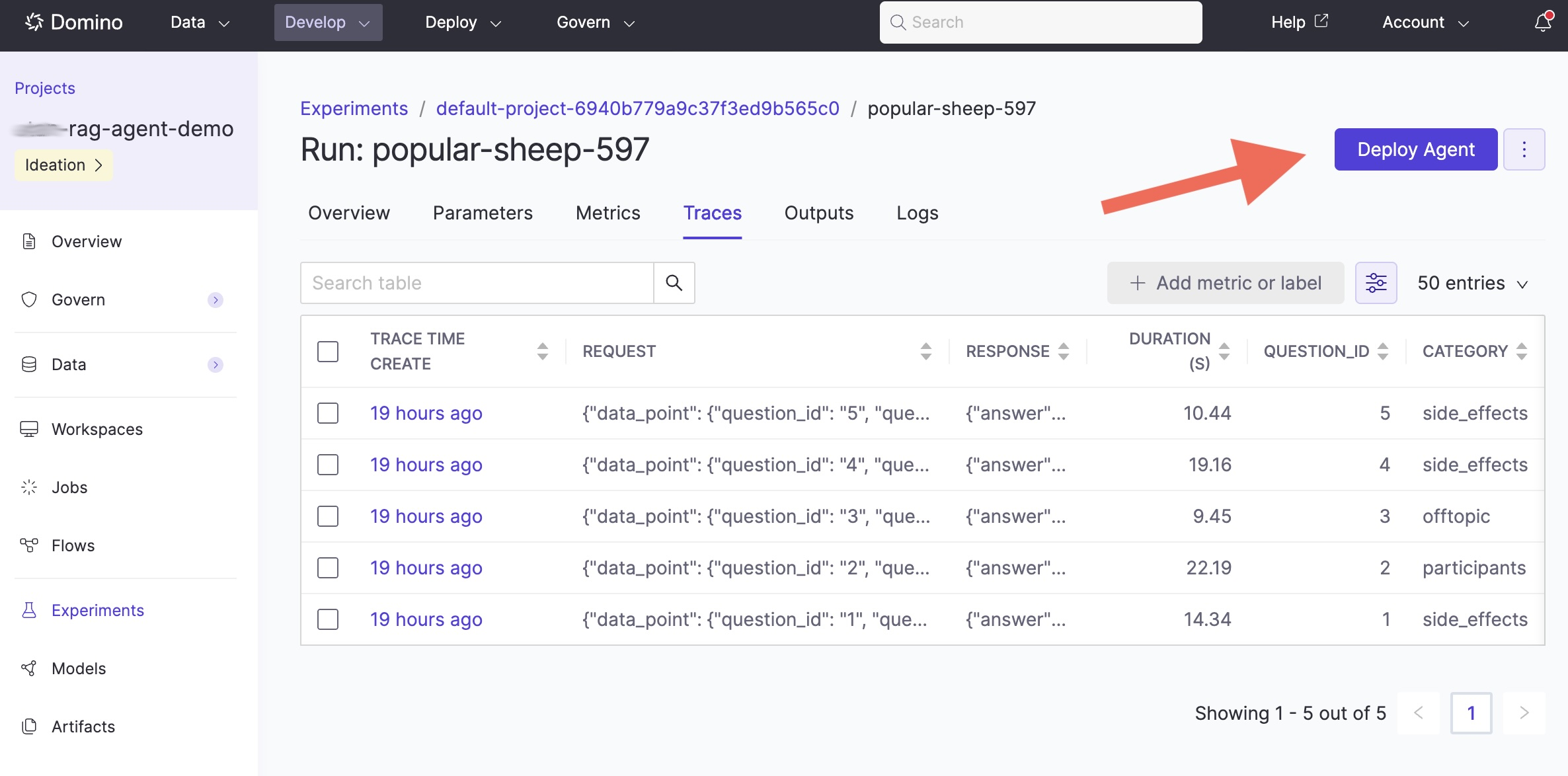
Click the Deploy Agent button:
-
A deployment wizard opens, similar to the Apps deployment flow. The wizard pre-fills the code commit from the selected run and prompts you to specify the entrypoint for your agent.
Once deployed, production traces flow automatically into the agent’s monitoring dashboard. This is the same trace data you saw during development, now captured from real user interactions.
-
Monitor agentic systems: Track production performance and run evaluations.
-
Experiment tracking and traces: Compare more configurations before deploying.