


The Experiment Manager is where you compare agent configurations, review traces, and deploy the best version to production. Each time you run an evaluation script as a Domino Job, it creates an experiment run containing traces and evaluation scores for that configuration.
Experiment runs are created when you run your evaluation script as a Domino Job, not from a workspace.
Each run captures:
-
The code commit used for the Job.
-
The YAML agent configuration (model, prompts, parameters) logged via
DominoRun(agent_config_path=…). -
All traces generated during execution, with inline evaluation scores.
-
Aggregated metrics across all traces in the run.
Each run is a complete, versioned snapshot of an agent configuration and its performance. Develop agentic systems has details on how to set up the instrumentation and evaluation code.
View and analyze traces from any experiment run:
-
In your project, click Experiments in the left navigation.
-
Find and click the experiment you want to review.
-
Open a run and select the Traces tab.
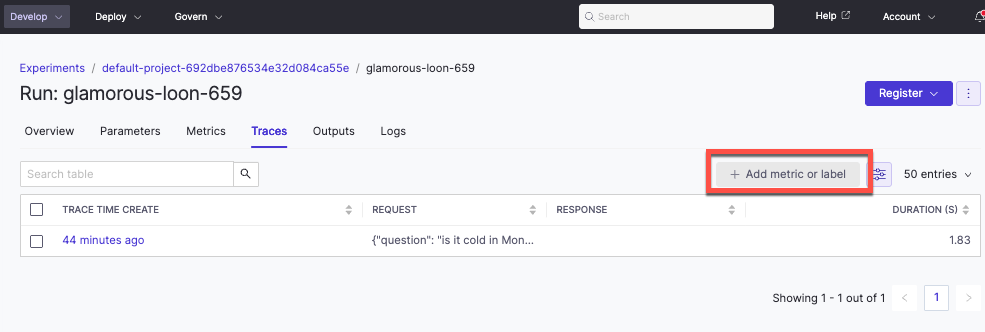
When reviewing traces you can:
-
See evaluation scores logged by your inline evaluators.
-
Add metrics (float values) or labels (string values) by clicking Add Metric/Label for manual annotation.
-
Click any metric or label cell to open the detailed trace view with the full span tree.
Compare different agent configurations (runs) to see how changes to prompts, models, or parameters affect quality:
-
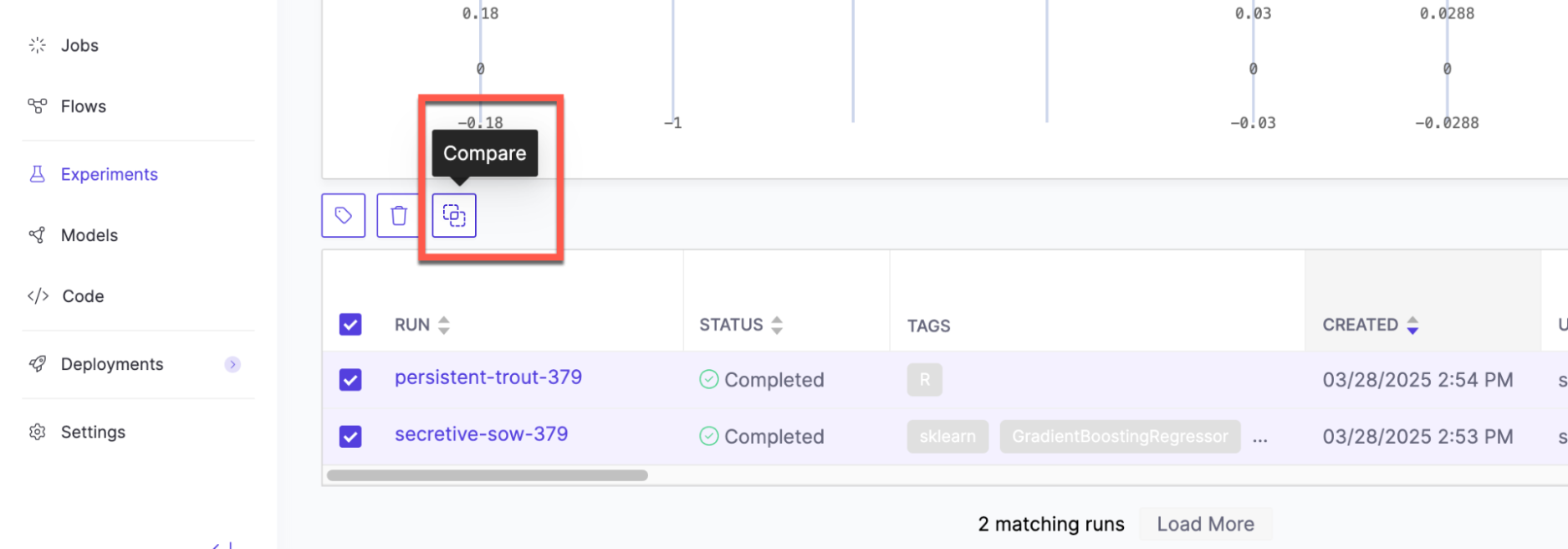
From the experiment view, select two to four runs and click Compare.
-
The comparison view shows aggregated metrics side by side for each run.
-
Open the Traces comparison view to compare individual traces across runs. This shows you exactly where one configuration outperforms another on the same inputs.
Once you’ve identified a winning configuration, you can deploy it to production directly from the Experiment Manager.
Only runs that originated from a Job are eligible for deployment. Domino uses the Job’s code commit and agent config to maintain full lineage from experiment to production.
Deploy agentic systems has the step-by-step walkthrough.
Subject matter experts can manually annotate traces beyond automated evaluation scores:
-
Metrics: Add numeric scores (float values) to any trace by clicking Add Metric/Label.
-
Labels: Add string labels such as "approved", "needs review", or "hallucination" to categorize traces.
Manual annotations appear alongside automated evaluation scores in the comparison views.
You can pull trace data programmatically using the MLflow APIs for custom aggregation and analysis. This is useful when you want to do your own analytical work with the trace data beyond the built-in dashboards.
Examples include breaking down token usage, latency, and tool calls by span type, or building custom comparison visualizations in a notebook.
The rag-agent-demo repository has a notebook example that demonstrates pulling span-level metrics and visualizing them.
-
Develop agentic systems: Iterate on instrumentation and evaluation.
-
Deploy agentic systems: Production deployment details and configuration.
-
Monitor agentic systems: Track production performance.
-
Python SDK for agents: A full API reference for tracing, evaluation, and trace search.