
Browse Assets

Domino exposes your tags in several places, so teams can find relevant work however they naturally navigate the platform.
Knowledge Browser

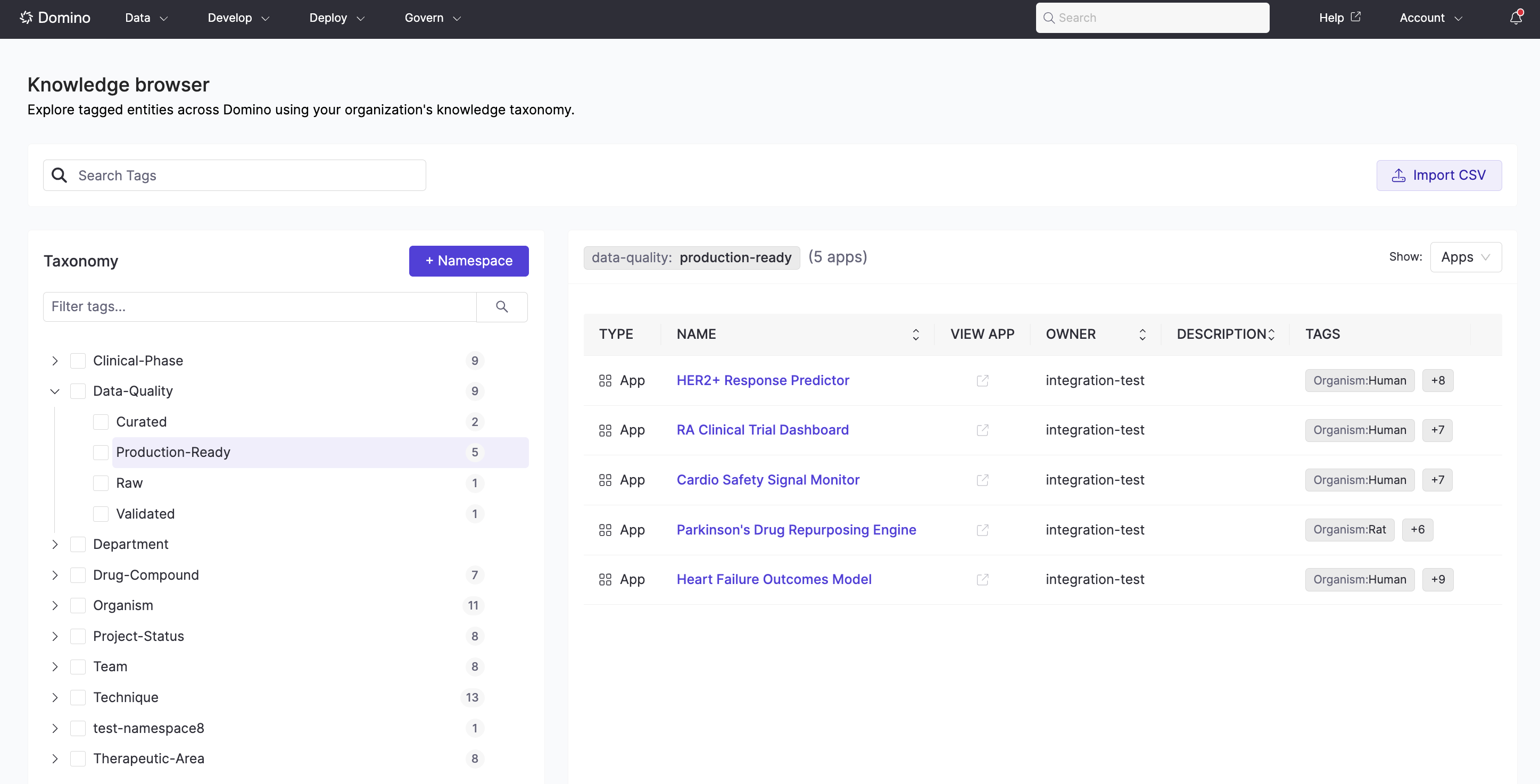
The Knowledge Browser provides a tree-based view of the full taxonomy alongside the assets tagged within it. Selecting a tag shows all assets that contain it; tag counts on each node give an at-a-glance sense of how the catalog is distributed. Go to Govern > Knowledge Browser.

Knowledge Browser showing the taxonomy tree on the left and a filtered list of apps on the right

Search

The global search indexes tag labels and descriptions, so assets are findable by tag even through Domino’s main search bar — without knowing the exact namespace or tag path.

Entity-specific views

Each entity type surfaces tag filtering in context. When you type a namespace name followed by a colon, the search field narrows suggestions to tags within that namespace only — making it fast to filter by a specific classification axis.
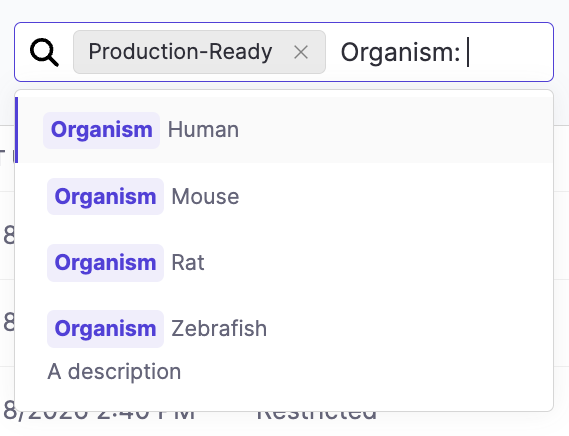
Apps and Agents listing with tag-based search showing autocomplete suggestions for the Organism namespace

Apps

In the Apps & Agents view, use the tag filter box in the listing header to filter apps by one or more tags without leaving the page.

Next steps