Apply Tags

You can apply tags to the following entities in Domino:

  • Apps

  • Projects

  • Project templates

  • Datasets

  • Support for additional entities — including Models and NetApp Volumes — is coming soon.

You can assign multiple tags from different namespaces.

Important
If a namespace is configured to allow only one tag per entity, selecting a new tag replaces the existing one.

Apps

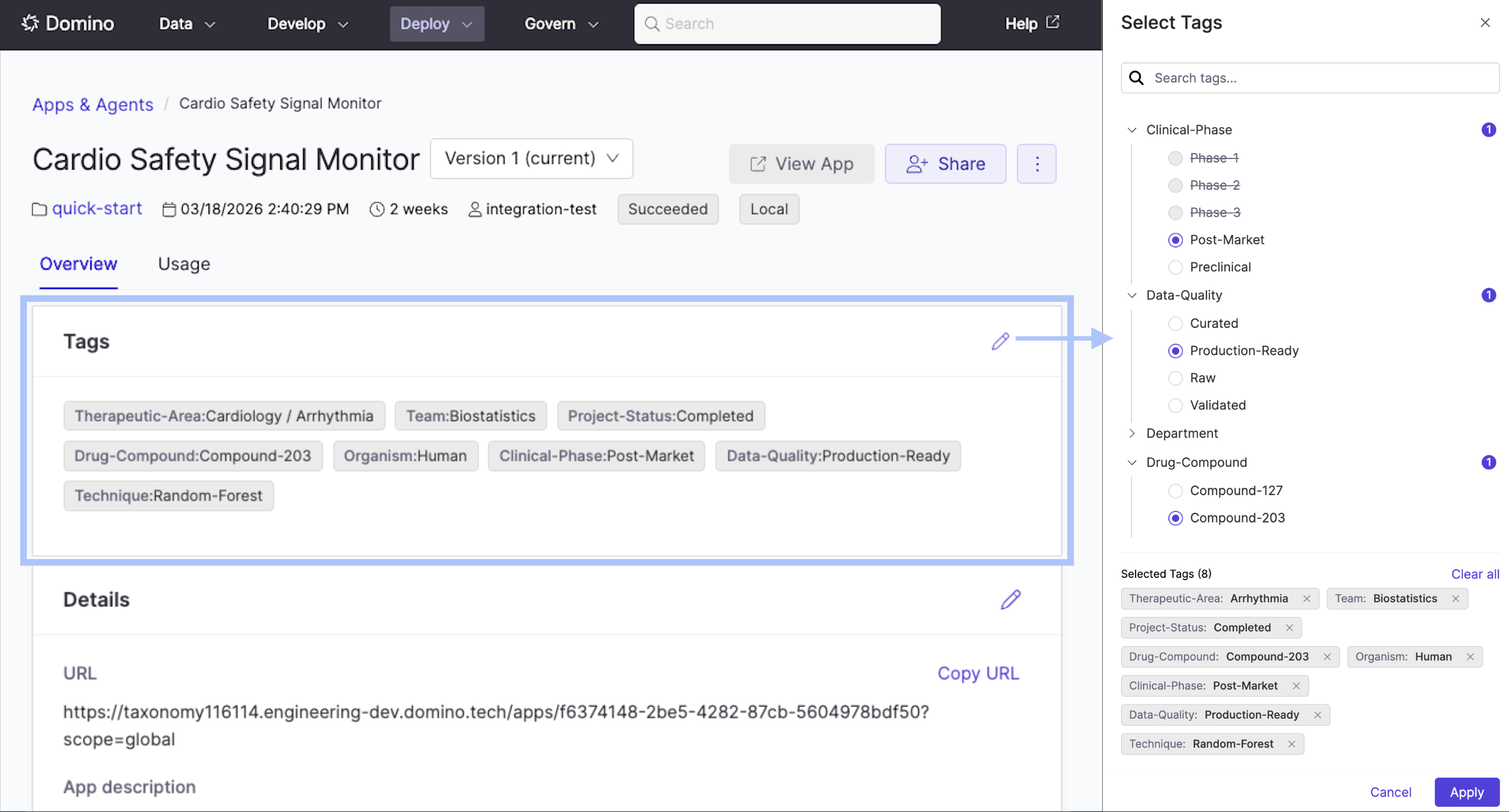
App publishers can assign and remove tags from the app overview. Tags appear as namespace:tag chips on the app card and are immediately reflected in the Knowledge Browser and search.

Select Tags drawer on the app overview showing the taxonomy tree and selected tags

Projects

Project contributors can assign and remove tags from the project overview. Tags appear as namespace:tag chips on the project card and are immediately reflected in the Knowledge Browser and search.

Project templates

Template owners can tag project templates so teams can find the right starting point for their work. Tags appear on the template card and are searchable in the Knowledge Browser. Projects created from a template inherit all of the template’s tags.

Datasets

Dataset contributors can assign and remove tags from the dataset overview. Tags are applied at the dataset level and are shared across all snapshots. Tags appear as namespace:tag chips on the dataset card and are immediately reflected in the Knowledge Browser and search.

Next steps

  • Browse Assets: Find tagged assets across the Knowledge Browser, search, and entity-specific views.