


Domino exposes your tags in several places, so teams can find relevant work however they naturally navigate the platform.
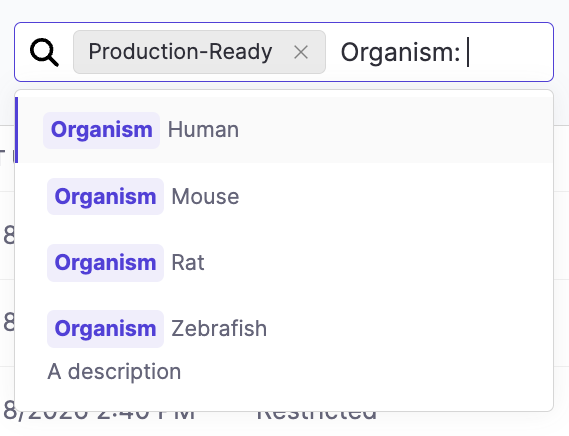
Each entity type surfaces tag filtering in context. When you type a namespace name followed by a colon, the search field narrows suggestions to tags within that namespace only — making it fast to filter by a specific classification axis.
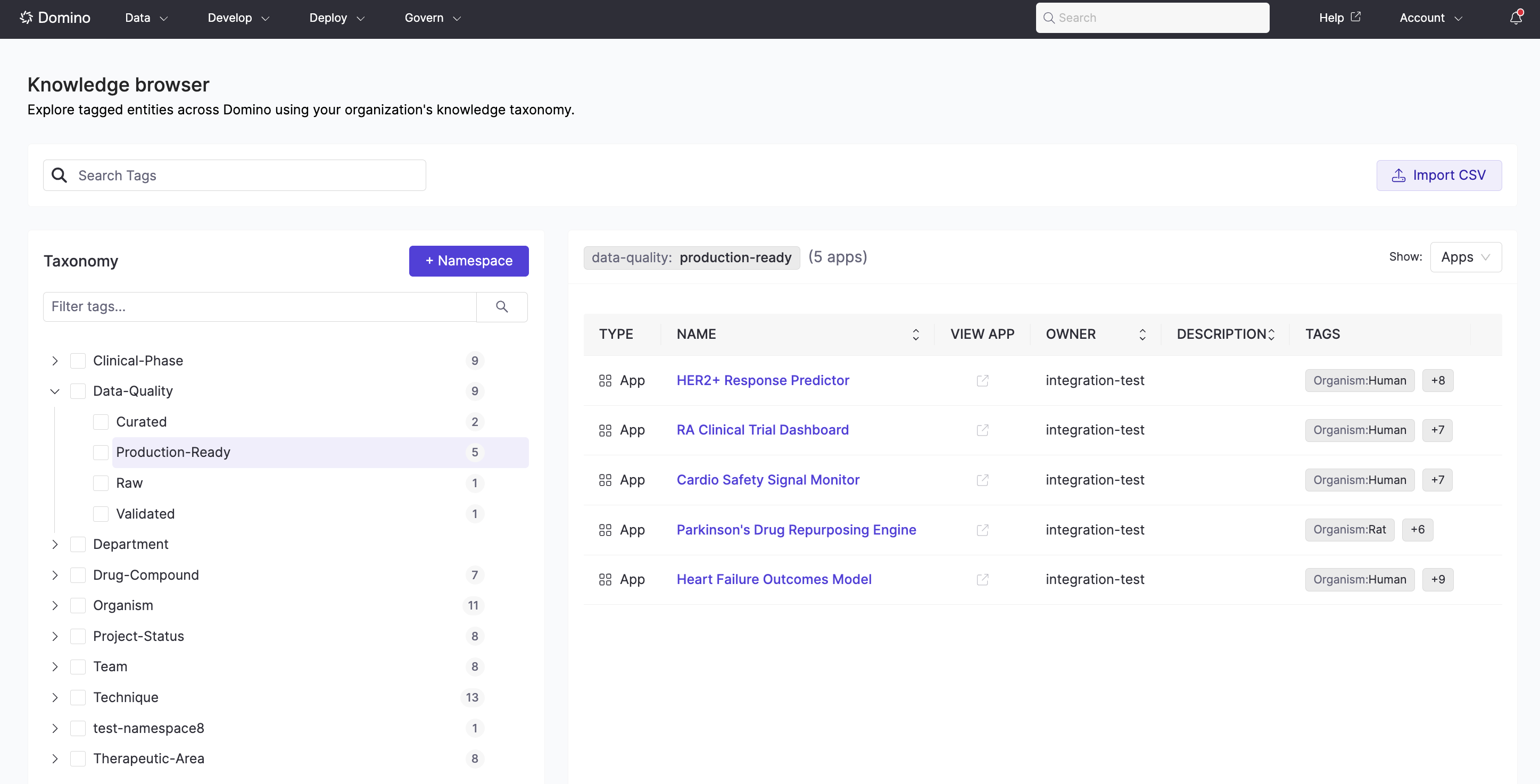
Apps, Projects, Datasets, and NetApp Volumes each surface a tag filter in their listing view, so you can narrow results by one or more tags without leaving the page.
-
Apply Tags: Assign tags to your Apps, Projects, Project Templates, Datasets, and NetApp Volumes.
-
Manage Taxonomies: Build and maintain the taxonomy structure (Admins and Librarians).