


Knowledge Taxonomies let you standardize how your organization categorizes and discovers work. This helps people find and reuse institutional knowledge, and avoid reinventing the wheel.
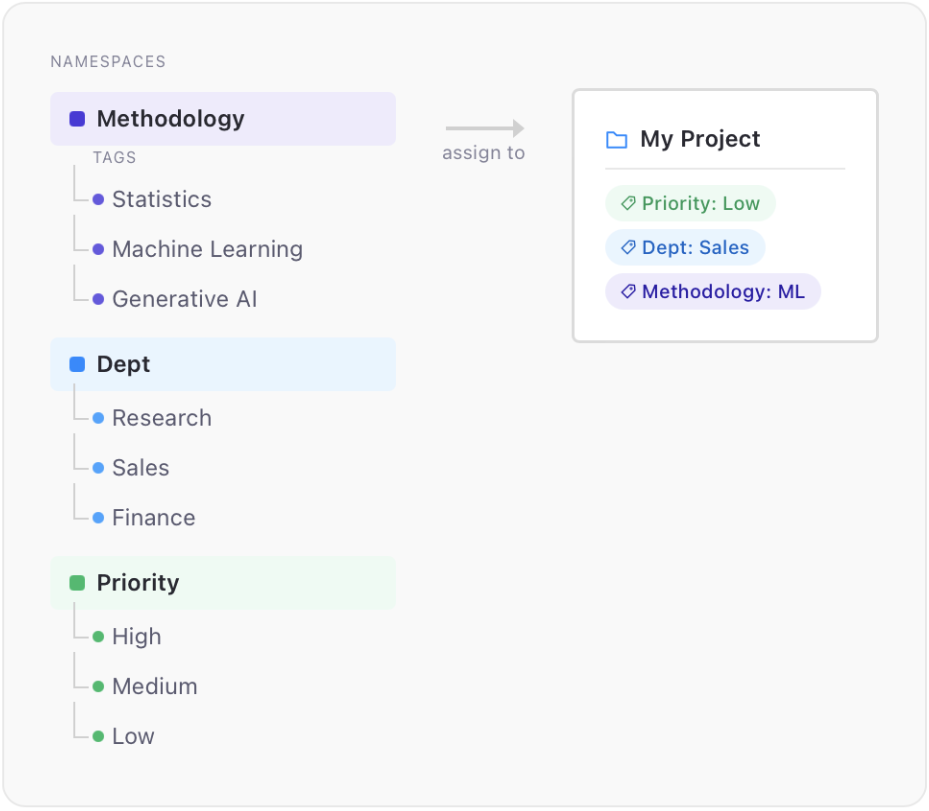
The taxonomy system works by letting you assign key-value style tags to different assets in the platform.
The taxonomy is composed of two core concepts:
-
Namespaces are the allowed keys that make up your key-value tags.
-
Tags are the values allowed within a given Namespace.
Think of Namespaces as the category or dimension you use to classify something, and Tags as the allowed values each category can take on.
To create and modify your taxonomy, you must have the CloudAdmin or Librarian role.
Once you’ve created your taxonomy, you can apply tags to different entities in the platform and search and browse assets by tag.
-
Apply Tags: Assign tags to your apps.
-
Browse Assets: Find apps by tag across the Knowledge Browser, search, and entity-specific views.
-
Manage Taxonomies: Build and maintain the taxonomy structure, import from CSV, and merge tags.